Dyson V11: find the serial number
You need the serial number of your Dyson V11 for registration, warranty and repairs. Dyson prints it on a small white sticker.
This is where the serial number is
Inside the handle behind the click-in battery. On older V11 with a screw-in battery: on the back of the battery pack at the base of the handle.

Step by step
-
Switch the vacuum off and take it out of the dock.
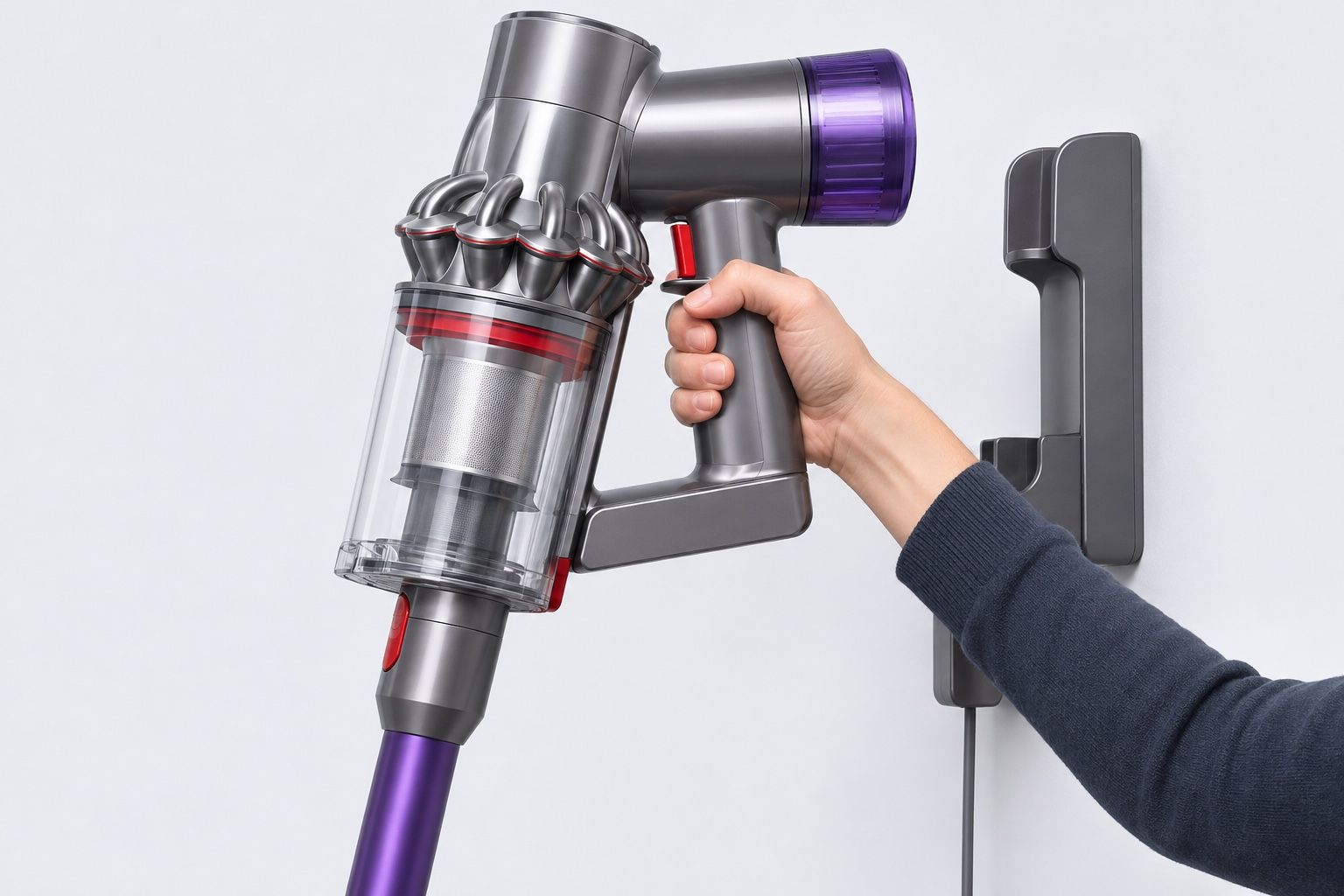
-
Press the release button on the battery and slide the battery down out of the handle.
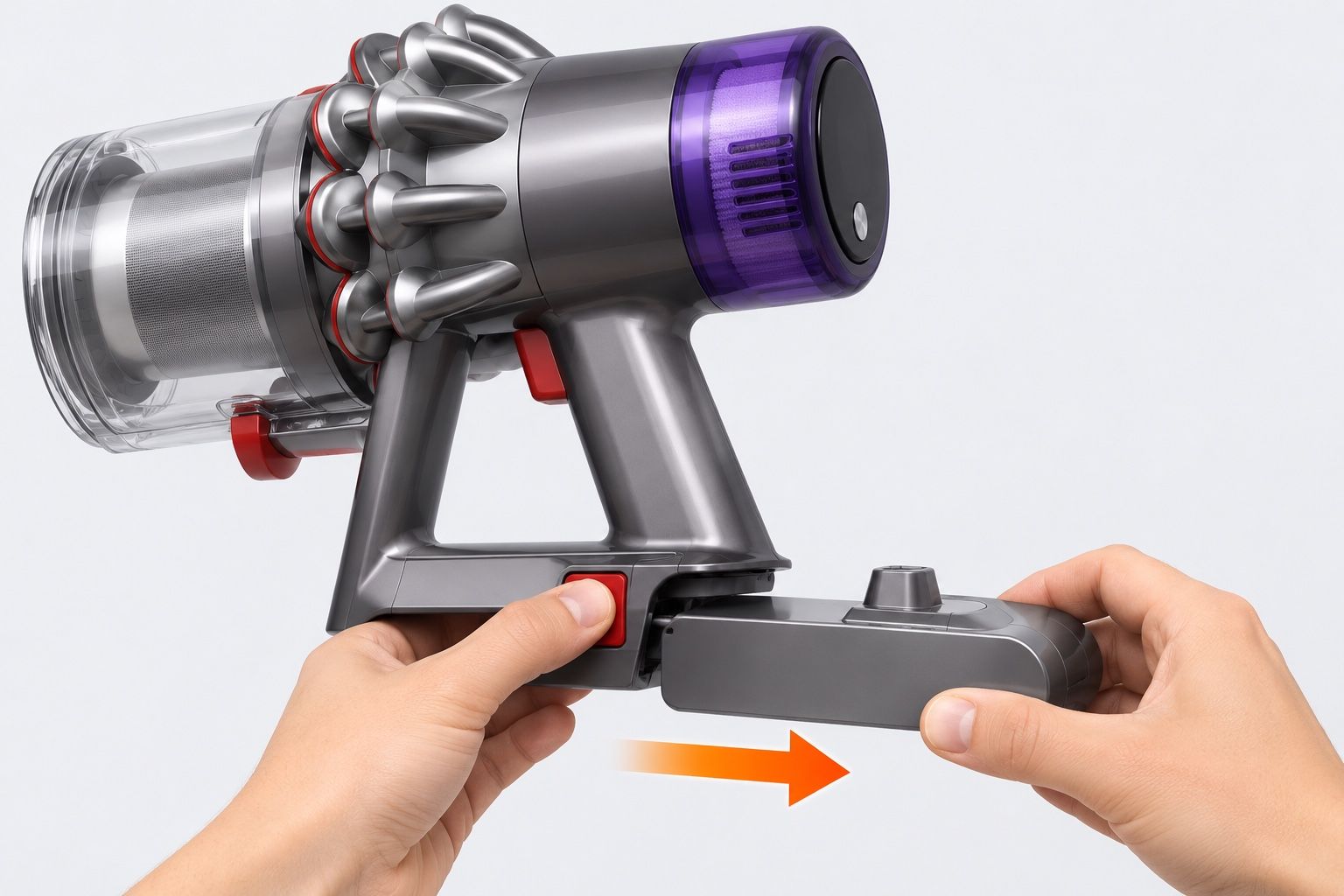
-
Read the white sticker inside the handle and take a photo of it.
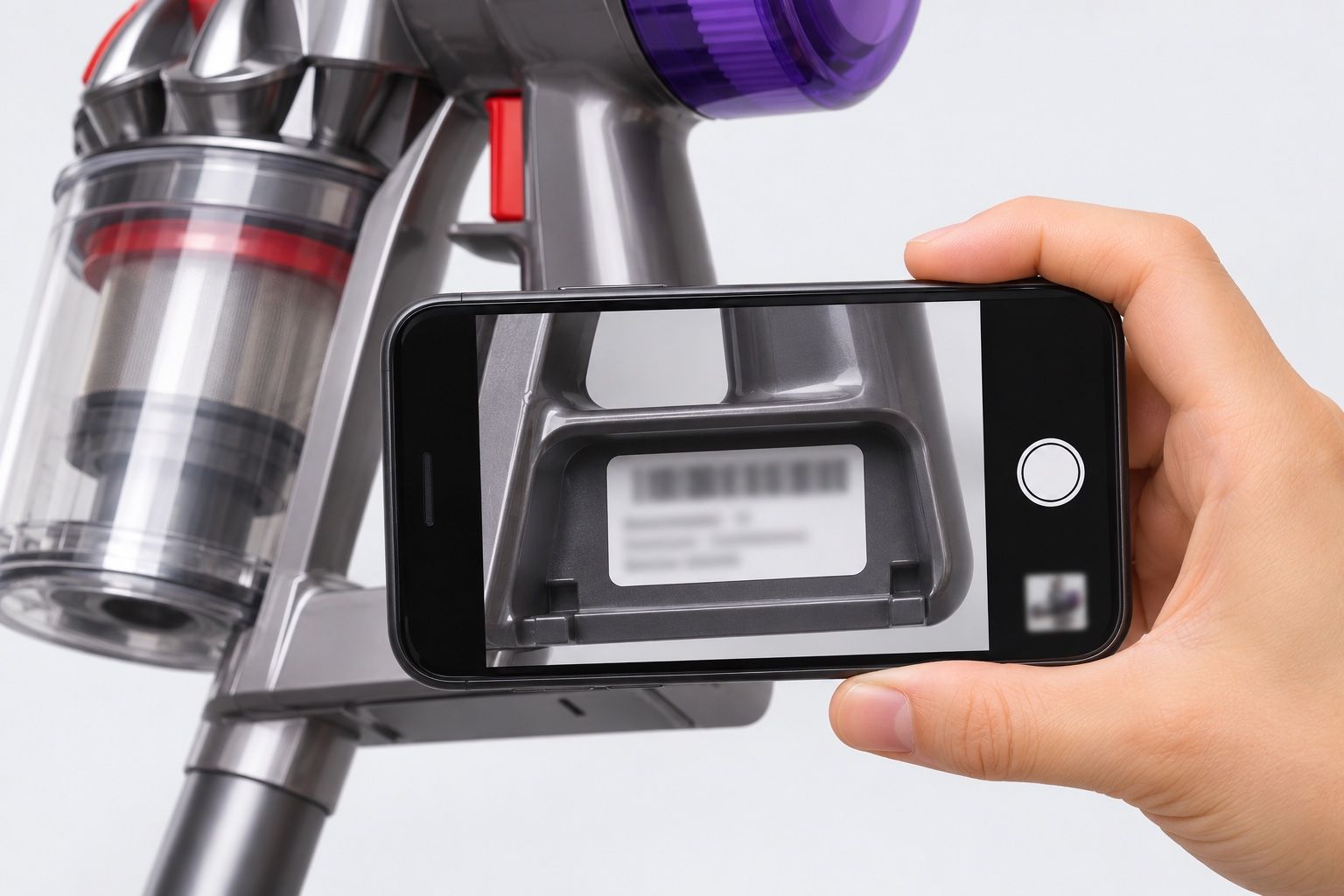


Why there?
The V11 comes with two battery types. If yours clicks out without tools, the number is inside the handle. If it is screwed in, it is on the back of the battery pack.
What you need the serial number for
Have it ready before you contact Dyson:
- registration and extended warranty
- battery repair or replacement
- spare parts such as filters or cleaner heads
- proof of ownership when selling or for insurance
Not there?
- Look behind the filter (older models).
- Check the box, Dyson prints the serial number on it.
- Look in your Dyson account if you registered the machine.
- Contact Dyson support with your proof of purchase.
Frequently asked questions
Where exactly is the serial number on the Dyson V11?
Inside the handle behind the click-in battery. On older V11 with a screw-in battery: on the back of the battery pack at the base of the handle.
Can I contact Dyson support without the serial number?
Yes, but with the serial number support can identify your machine right away and check warranty claims.
The sticker is unreadable. What now?
Check the box, the receipt or your Dyson account. Take a photo of the number for next time.
More Dyson models


